Friday, March 28, 2014

Digital Analytics Fundamentals #5/1 - Reporting Overview

This blog moved to a new location, please visit us at http://ramble.m2m.at.

Unit 5/1 - Reporting Overview
The Google Analytics Academy started a new course (March 11th 2014) called "Google Analytics Platform Principles" which ended yesterday.  Though not required, it is recommended completing the "Digital Analytics Fundamentals" course on Analytics Academy before beginning this course:

The first part of the fifth lesson provides an overview to the reporting interface of Google Analytics.

For each report you can adjust its date range, which will stay active till changed again or you log out. In addition you can add a second date range to compare current with historic data.

The granularity of the shown data can be changed to day, week, or month.

You can select the shown metric, and also select a second one for comparison.

To mark certain events e.g. for future reference, you can add annotations.

For tables you can choose primary and secondary dimensions as well as its metrics - which are organized into tabs at the top of each report.

You can use filters to display only specific values of the primary dimension or use advanced filters consisting of various rule sets.

You can visualize data in different ways using view options:
  • the data view as default option,
  • the percentage view with pie charts,
  • the performance view with bar graphs,
  • the comparison view to see which values are above or below averages,
  • and the pivot view with a pivot table with rows and columns showing different dimension values.
The plot-rows feature plots selected rows or segments of the table in the time graph.

Shortcuts remember specific settings to avoid tedious reconfigurations ...

Thursday, March 27, 2014

Smart Passive Income #282 - To Be or To Give Up

To Be or To Give Up
To Be or To Give Up
This blog moved to a new location, please visit us at http://ramble.m2m.at.
 
A little bit disjointed, Pat philosophizes about giving up ...

Why disjointed? Well, his post is from September 2010, and he writes that he wondered if he should give up writing his blog in the first six month which would be October 2008 to March 2009 ... Why this sudden introspection? ... Could it be nothing else to write ... or just a personal note ...

Nevertheless, he decided to go on, good for him, good for us!

His motto for today:
Keep at it and keep working hard to provide over-the-top, high quality content. It only takes one influential person, one moment, to change everything.

Tuesday, March 25, 2014

Smart Passive Income #281 - Spam?

Niche Site Spam
Niche Site Spam?
This blog moved to a new location, please visit us at http://ramble.m2m.at.

Creating niche sites seems to be like stock trading ... you continuously watch the rank of your pages, get depressed when they do not change or worsen, and rejoice when they rise ...

The rank of Pat's niche site rose from #117 to #53 ... Could it be that the sand box a myth???

Nevertheless, Pat learned (or better remembered) that the quality of back links is far more important than the total number ...

Rule #1: Create excellent content, and you will get quality back links. Motto: Build and they will come ... 

To get more (?quality?) back links Pat posts articles to:
... he creates additional blogs with quality-content posts on:
For his niche site duel, he created new blogs on those sites using his keywords in the blog name. Strangely all of that blogs contain only a single entry ... did he abandon his strategy later on, or does this really suffice?

... and he uses two "cheating" tools to create his content ... don't know if I like that! ... he writes an article and uses the tool to "spin it" to create a new article ... is this really "quality content", or is it just spam?

Monday, March 24, 2014

Digital Analytics Fundamentals #4/5 - Collecting Campaign Data

Unit 4/5 - Collecting Campaign Data
This blog moved to a new location, please visit us at http://ramble.m2m.at.
 
The Google Analytics Academy started a new course (March 11th 2014) called "Google Analytics Platform Principles".  Though not required, it is recommended completing the "Digital Analytics Fundamentals" course on Analytics Academy before beginning this course:

The fifth part of the forth lesson addresses marketing campaigns.

Two user attributes - dimensions - Google captures are source - the referring website - and medium - the referral mechanism, how the user got to your site.

By default there are three mediums:
  • organic - identifies traffic coming from unpaid search results,
  • referral - traffic from other websites which are not search engines,
  • none - for users typing the URL directly or using a bookmark.
Via link tagging you can add extra information to links to track campaigns - the first three should be added for all manual tagging:
  • the Source and Medium tags allow to overwrite the default values described above,
  • with the Campaign tag you can name your marketing campaign,
  • the optional Term tag allows to identify keywords of paid search campaigns,
  • and the optional Content tag allows to specify different versions of your campaign.
 The URL builder helps to create those tags correctly.

Because Google AdWords and Google Analytics are connected, there is no need to create campaign tags manually for AdWords campaigns. The AdWords auto-tagging is enabled by default and adds also other dimensions specific to AdWords campaigns.

Channels allow to group traffic based on various link tags. There are predefined channels Direct, Email, Social, Organic and Display. It's possible to redefine them and to create new ones.

Campaign information shows up
  • in the All Traffic report - including all sources and mediums from default values and tags,
  • in the Campaigns report - including data for each campaign used in tags and AdWords campaigns, but also information from the Content tag, which however will requires a change of the Primary Dimensions to Ad Content,
  • and in the Paid Search Keywords report - including tagged keywords.

Smart Passive Income #280 - Sandbox Effect & SEO Crash

SEO Crash
SEO Crash
This blog moved to a new location, please visit us at http://ramble.m2m.at.
 
Last time Pat learned about the Google dance, now (September 2010) "he had to" discover the sandbox effect.

The sandbox effect describes the "unconfirmed" phenomenon of being penalized by search engines for bad SEO ... e.g. link spam, buying back links, ...

Pat wanted to speed up his ranking for the niche site duel, using a service which should enter his site into hundreds of web directories ... he paid real money ... his rank did not improve ... now Pat thinks, Goggle does not like him any more :(


Sunday, March 23, 2014

Smart Passive Income #279 - Niche Site Duel Master Plan

Niche Site Duel Strategy
This blog moved to a new location, please visit us at http://ramble.m2m.at.

... back to Pat's niche site duel ... after one month ... it seems Pat is a little bit complaining ... the niche he chose is/was more competitive than the ones of his niche-site-duel opponents ... and he does/did all the work himself ...

Nevertheless, his site now (September 9th, 2010) ranks #119 at Google, #8 at Yahoo.

His strategy did not change:
  • creating content that people find useful and helpful,
  • and content that help higher rankings in search engines. 
Concerning the first one, Pat faces the problem that he actually does/did not know anything about his niche ... Here he refers to "The Curse of Knowledge" found in Made to Stick by Chip by Dan Heath. People who know everything about a certain topic sometimes find it hard to teach newcomers. Where to start? What is considered to be basic knowledge? How to reduce that amount of knowledge to a beginners level ...

Pat starts at the same level - zero. Documenting the steps of his research, provides a unique point of view, which experienced teachers don't have, but might help others starting from scratch and soon excelling, becoming experts ...

To create content that helps higher ranking in search engines, Pat tries to find out what people are searching for and fits his content to address those topics and use those specific terms as keywords ...

... and did you know about the Google Dance? New sites change their ranking quite drastically depending on the indexing process ...

Wordpress Plugin - Social Media Feather Updated ... yet again ...

This blog moved to a new location, please visit us at http://ramble.m2m.at.
 
Two weeks later ... it updated again ... does that prove it's quality or the opposite?

Not long ago I mentioned the social media plugin Social Media Feather for wordpress, and also that there was an update ...

Remember it automatically creates those little buttons with link to various social networks:

http://m2mtech.blogspot.com/

... it's free version supports:
  • Facebook
  • Twitter
  • Google Plus
  • Reddit
  • Pinterest
  • Linkedin
  • Tumblr
  • Mail
  • RSS
  • Youtube
  • Vimeo
  • Instagram
  • Flickr
  • Foursquare

Saturday, March 22, 2014

Smart Passive Income #277 & #278 - Cash and Audio

The Lost Smart-Passive-Income Podcast
This blog moved to a new location, please visit us at http://ramble.m2m.at.
  
Pat nearly doubled his income for August 2010 and reached more than 20.000,- USD (ok, not really doubled, but still impressive ...).

... and he posted his 5th podcast, an interview with Cliff Ravenscraft of PodcastAnswerMan.com. Cliff started his podcast empire by reporting about the television show Lost ... doing something he loved ...

Friday, March 21, 2014

Smart Passive Income #276 - What starts with M and ends with ILKA?

Purple Cow
Purple Cow by Seth Godin
This blog moved to a new location, please visit us at http://ramble.m2m.at.
 
Pat learned from the previous guest post (I guess he knew about it long before ...), the title of his blog post is cryptic ... we want to know more and have to read it ... by the way, I will not tell you the title ... now you are even more curious!

....

When I think about a purple cow, chocolate comes to mind ... For Pat it's marketing, to be more specific the book Purple Cow by Seth Godin.

It's about standing out from the crowd as key to success ... which Pat achieves by
  • providing detailed income reports,
  • customizing the design of his blog,
  • sending follow-up emails to his newsletters containing pure content,
  • responding to every comment on his blog,
  • telling about failures as well as successes,
  • and providing personal stories ...
... and of course everyone of us is different and thus unique from the crowd ...


Tiny Tiny RSS-Stream Colelctor Udated

Collect RSS Streams
Collect RSS Streams
This blog moved to a new location, please visit us at http://ramble.m2m.at.
 
In Summer last year Google discontinued the Google Reader - a free service to collect various RSS streams and to view them online. Tiny Tiny RSS is an open-source software which provides the same functionality on your own (local) server. It requires PHP and MySQL, is quite easy to install and allows even to import data from Google Reader ...

... however running the reader on your own server - even if it provides "more" privacy - requires keeping the software up to date.

How to update Tiny Tiny RSS?
First backup your current installation as well as the database.

database backup using phpMyAdmin
Let's say your current installation version 1.11 is at ttrss, just create a copy of that directory naming it with the "old" version number. Why? If something goes wrong, you want to go back to the current - working - installation.
cp -rp ttrss ttrss-1.11
To create a backup of your current database use your favorite tool, e.g. phpMyAdmin

or by command line
mysqldump -u [db-username] -p ttrss > ttrss-1.11.sql 
For the actual update, you could download the new version and do a manual update, but there is a more convenient way. Let it do Tiny Tiny RSS itself:
cd ttrss; php -q update.php --update_self
This will download the new version, (create a copy of the current version - which we actually do not need because we created a backup above).

The current version also fixes the permissions on the cache folder, but still seems missing the upload folder which it will tell you when opening the online interface the next time. Just change it yourself e.g.
chmod -R 707 cache/upload/
Now open the online interface in your browser, the software will run an update on your database ... done ...

Wednesday, March 19, 2014

Smart Passive Income #275 - Use the Force, Pat ...

This blog moved to a new location, please visit us at http://ramble.m2m.at.
 
Today's (September 2010) guest post by James Tayo - his blog seems to be no more - provides hints on how to make people click on your links ...

It starts with a personal story - how English people cannot resist reading stories about the Royal family ... and immediately provides the big secret:

Use incomplete headlines

People are nosy, and will not be able to resist finding out what's behind that headline ... we simply want the complete story ... click ...

... James provides a link ... which does not exist anymore ... which is creating even more suspense ;)

Nevertheless, he names some of the headline examples from that non-existing page:
  • "The Secret of Making People Like You" ... of course we like to uncover secrets ...
  • "A Little Mistake That Cost a Farmer $3,000 a year" ... it seems that the combination little with a "high" sum creates the magic ... but don't we like to read about the mistakes of other people, too?
  • "Why some People Almost Always Make Money in the Stock Market" ... again a secret to uncover combined with a sprinkle of jealousy ...
... and he wouldn't be a great marketer, wouldn't he finish with a call to action: Come up with a headline for this post using the described principles!

Tuesday, March 18, 2014

Digital Analytics Fundamentals #4/4 - Setting Up Goals and Ecommerce

Unit 4/4 - Setting Up Goals and Ecommerce
This blog moved to a new location, please visit us at http://ramble.m2m.at.
 
The Google Analytics Academy started a new course (March 11th 2014) called "Google Analytics Platform Principles".  Though not required, it is recommended completing the "Digital Analytics Fundamentals" course on Analytics Academy before beginning this course:

The forth part of the forth lesson explains how to track macro and micro conversions using goals.

Macro conversions are primary business objectives. Micro conversions are activities necessary to reach the final macro conversions.

Goals are set up for specific views. Different views might/will have different goals.

There are goals that track user actions
  • web pages or views that are shown when the business objective is reached - like a "thank you" page - called destination goals,
  • goals that track starting a certain action - like downloading a file - called event goals,
and goals that measure user engagement
  • like a certain number of visited pages - a pages-per-visit goal,
  • or reaching a certain threshold spending time on a site - a duration goal.
Setting up the URI for a destination goal allows to use different match types - "begins with", "equals", or regular expressions.

The goal-verification tool allows to test goals during the setup process using a preview of the conversion rates for the last seven days.

Setting goal values allows to specify the monetary value for that goal to interpret its conversions as actual revenue.

Funnels are pages/actions leading to the goal. They show where a user enters or leaves the path to the goal. Multi-channel-funnels reports provide the path a user took to reach the conversion across multiple visits.

eCommerce reporting shows transactions, revenue, and many more commerce-centered metrics.

Where goals are counted only once per visit, eCommerce transactions are counted every time they occur.


Smart Passive Income #274 - Keyword Ranking

Don't tell, hide it in a video ...
This blog moved to a new location, please visit us at http://ramble.m2m.at.
 
Pat likes videos and thus hides his valuable information on how to find out your keyword rankings within an video ... which I boycott, and thus ... we will never know :(

Monday, March 17, 2014

Digital Analytics Fundamentals #4/3 - Setting up Basic Filters

Unit 4/3 - Setting up Basic Filters
This blog moved to a new location, please visit us at http://ramble.m2m.at.
 
The Google Analytics Academy started a new course (March 11th 2014) called "Google Analytics Platform Principles".  Though not required, it is recommended completing the "Digital Analytics Fundamentals" course on Analytics Academy before beginning this course:

The third part of the forth lesson addresses filters to modify data within a view
  • to exclude data - e.g. filtering out traffic from your own IP addresses,
  • to include data,
  • to adjust the look of your data - e.g. adjusting URL names to lower case ...
They are applied during data processing. The transformed results are shown in your reports.

Instructions/rules for a filter are called conditions. TRUE conditions are used for processing. FALSE conditions are ignored.

A filter needs to know
  • the type of data to use - e.g. IP address, device type, or geographic location,
  • the actual condition - e.g. the pattern it should match or not match,
  • and the action - what to do with the data.
Predefined filters provide templates for common situations. Custom filters can be used for almost any other unique situation.

Multiple filters can be applied and are processed consecutively.

All filters are stored in a filter library for reuse in the whole account.

Don't forget to use new filters in the test view first!


Smart Passive Income #273 - Are YouTube and PodCasts Worth the Effort?

Are YouTube and PodCasts Worth the Effort?
This blog moved to a new location, please visit us at http://ramble.m2m.at.
 
In his post Pat asks himself the question:

Are YouTube videos and PodCasts worth the effort?

... his answer is yes ... that's it ;)

Why?

  • It helped building his brand.
  • He increased his reach ... he could address people who would never have heard about him otherwise ... it seems there are people out there preferring video and audio to written information ...
  • The traffic to his blog has increased.
  • He got new subscribers.
  • He learned optimizing videos, creating screen casts, speaking on a microphone, and being more confident ...

Sunday, March 16, 2014

Digital Analytics Fundamentals #4/2 - Understanding your Account Structure

Unit 4/2 - Understanding your Account Structure
This blog moved to a new location, please visit us at http://ramble.m2m.at.

The Google Analytics Academy started a new course (March 11th 2014) called "Google Analytics Platform Principles".  Though not required, it is recommended completing the "Digital Analytics Fundamentals" course on Analytics Academy before beginning this course:

The second part of the forth lesson investigates the structure of an Google Anayltics account.

Google Anayltics accounts are a way to group digital assets. Certain configuration settings - like managing user access - apply for a whole account.

Within an account, properties collect data from unique tracking IDs. Typically you would separate distinct business using accounts, and different websites, mobile applications, or other assets belonging to that business using properties.

Nevertheless, you can still collect data from different websites using the same tracking ID, which is called roll-up reporting.

You can configure multiple views for a property to show different aspects of your data, e.g. to manage and protect your data.

At least three views are recommended:
  • an unfiltered view, which is generated by default,
  • a master view holding all settings to provide useful information,
  • a test view to play with your settings, before adjusting the master view.
Once data is processed, it can not be adjusted or reprocessed anymore ... Creating a new view will only hold information starting with the creation of that very view.

It's also strongly recommended to develop the measurement plan before setting up an account.


Smart Passive Income #272 - Setting Up a Niche Site

security guard training hq
This blog moved to a new location, please visit us at http://ramble.m2m.at.

Pat started setting up his niche site for his niche site duel.

He used WordPress hosted by his favorite hosting company including four plugins:
  • The All in One SEO Pack allows to optimize the site for search engines (SEO) e.g. by setting page titles, descriptions and keywords.
  • Google XML Sitemaps generates sitemaps which are provided to all "major" search engines for their indexing process.
  • Syon Policy provided templates for legal privacy policies ... but is not available anymore via the WordPress repository ...
  • The Google Analyticator provides an interface to Google Analytics to track what's going on.
As theme, he used one available for free ...

Concerning monetization he contacted (will contact?) the site owners of online courses for his niche whether affiliate programs are available. For now (back then) he used Google AdSense.

He did (will) write the content for his niche site himself and came up with a list of questions, concerns and topics he wanted (wants) to write about ...

He also presented a new tool to investigate keyword questions, which does not seem to exist any more in 2014 ...

Saturday, March 15, 2014

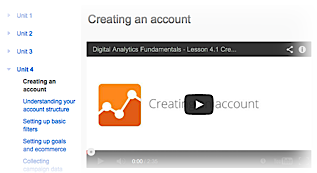
Digital Analytics Fundamentals #4/1 - Creating an Account

Unit 4/1 - Creating an Account
This blog moved to a new location, please visit us at http://ramble.m2m.at.

The Google Analytics Academy started a new course (March 11th 2014) called "Google Analytics Platform Principles".  Though not required, it is recommended completing the "Digital Analytics Fundamentals" course on Analytics Academy before beginning this course:

The first part of the forth lesson creating a new Google-Analytics account.

During the first setup you will be asked whether you want to track a website or a mobile application. Depending on your choice different instructions will be displayed to add the correct code to your site or application.

For websites you will receive a piece of JavaScript which needs to be added to every page you want to track. It's best to add it at the top of each page, just before the closing </head> tag. It can be added directly to the template you use.

For mobile applications you need to download the software development kit (SDK) which is available for Android and iOS.

Once the code is added to, real-time reports are generated immediately.

It's also possible to use tag management instead or features of your software tools (e.g. Blogger, Wordpress, Drupal) integrated directly or via plugins.

Smart Passive Income #271 - Fourth Podcast

Smart Passive Income Podcasts
This blog moved to a new location, please visit us at http://ramble.m2m.at.
 
Pat's fourth podcast addresses methods to create products suitable for passive income:
  • Use the content you already have (e.g. from a blog) to create an eBook ...
  • Interview people who know a lot about something (e.g. a niche) and turn the interview into an podcast, an audio CD, a DVD ... use this content on your membership site ...
  • Teach somebody something, record and sell it to further people ...
  • Coach somebody, record and sell it to further people (sounds redundant to the item above) ...
  • Make money by doing something you were doing anyways (sounds cryptic). e.g. if learn something new, document the steps, ...

Digital Analytics Fundamentals #3/2 - Key Detrics and Dimensions Defined

Unit 3/2 - Key Detrics and Dimensions Defined
This blog moved to a new location, please visit us at http://ramble.m2m.at.
 
The Google Analytics Academy started a new course yesterday (March 11th 2014) called "Google Analytics Platform Principles".  Though not required, it is recommended completing the "Digital Analytics Fundamentals" course on Analytics Academy before beginning this course:

The second part of the third lesson addresses the types of data used in Google Analytics - dimensions and metrics.

Dimensions are user characteristics like geographic location, traffic source, or the name of the viewed page.

Metrics are the counts how often those characteristics are seen on your page, their averages, or sums like the total purchase value associated with those dimensions.
  • Visitors or users measure the number of unique users visiting at a certain time. They can be segmented in new and returning users.
  • Visits or sessions measure a period of consecutive activity of the same user. The default timeout - till a new visit is counted from the same user - is 30 minutes. It can be changed depending on the site context (e.g. text based vs video site)
  • Pageviews count the number of times a page is viewed. Other interactions need to be triggered separately and need additional customization.
  • Visit duration is the time difference between the last and first interaction with the site.
  • Time on page is the time difference between two page views of the same page.
  • Bounce rate is the percentage of sessions with only one single page view.